Widgetry / Fireside
Fireside, a live fire for the XENEON EDGE
A live fire on your desk. Add a log and watch it catch.
It's late, the room is dark, and the fire on your Edge has burned down to coals. You tap the log button. A log drops onto the pile with a knock, sits there a second, then the flames find it and climb.
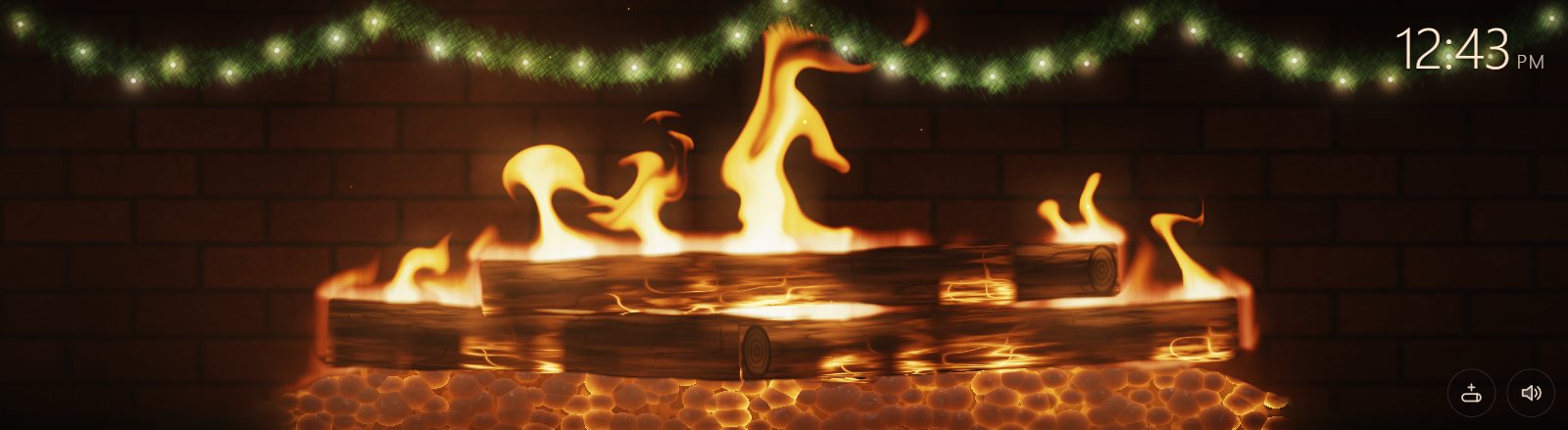
Running live. Tap the fire to stoke it, drag and the flames lean after you. The log button adds a log.
The fire is live
- The flames are worked out as you watch, so they never loop
- Tap the fire to stoke it and send up sparks
- Drag a finger through it and the flames lean after you
Feed it or leave it
- Always Burning. It runs all night.
- Burns Down, Add Logs. It sinks to embers until you drop another log on.
- Each log. Chars, glows and burns away in about five minutes.
Sound, if you want it
- A low roar, crackle and pops, and a different knock each time a log lands
- Off until you turn it on, with the switch in settings or the speaker button on the panel
Dressed for December
A pine garland hangs across the top with warm lights that twinkle slowly. One switch takes it down.
Make it yours
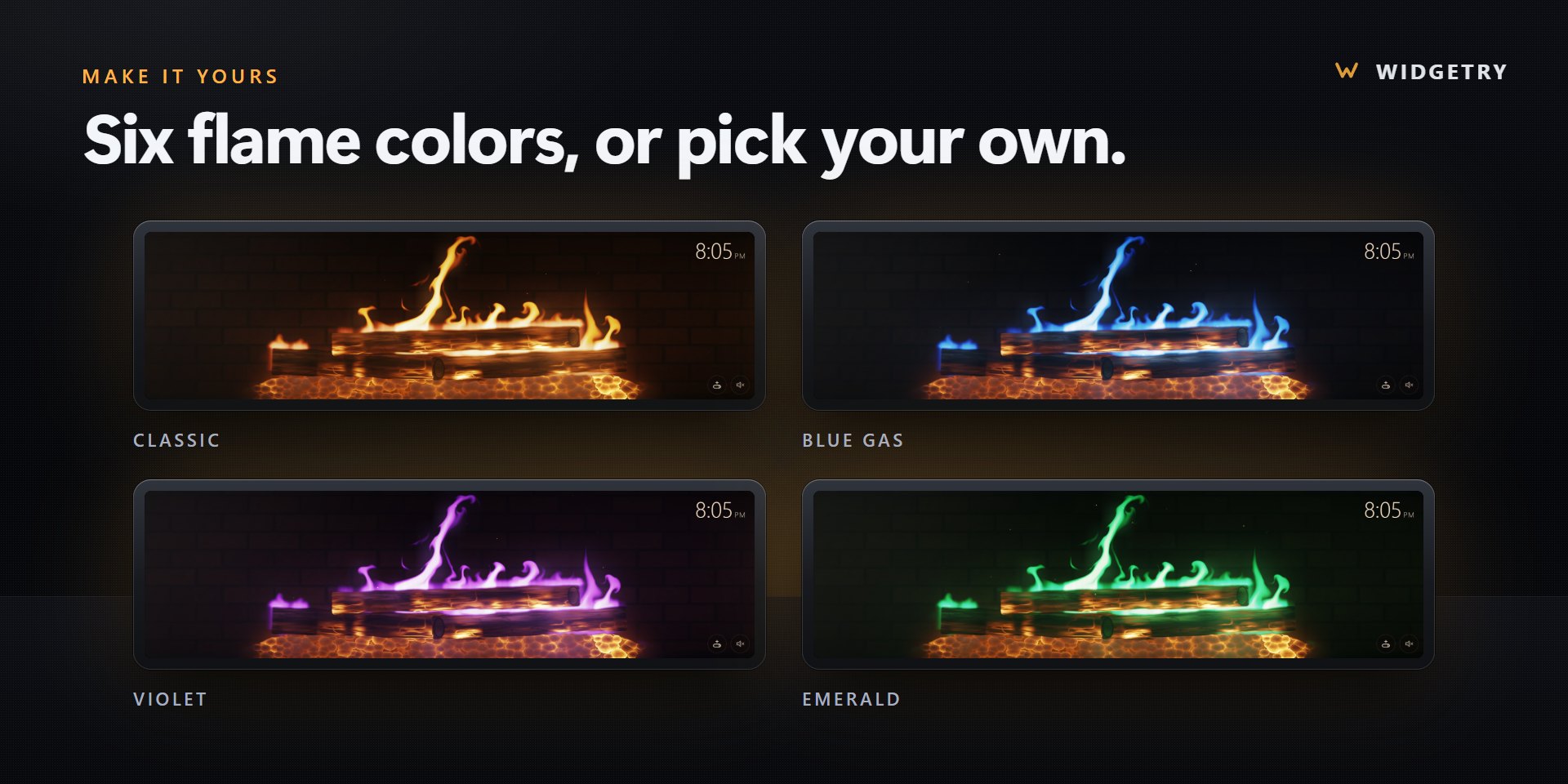
- Six flame colors. Classic, Blue Gas, Violet, Emerald, RGB Cycle, or one you pick.
- Fire size. From a small glow to a tall blaze.
- A clock in the corner. 12 or 24 hour, in your color. Or hide it.
Slot sizes
Small, Medium, Large and Extra Large, horizontal or vertical. See every slot's pixel size in the XENEON EDGE slot size guide.
Requirements and privacy
CORSAIR XENEON EDGE with iCUE 5.47 or later on Windows, with graphics acceleration on. Sound needs Speaker access for the widget in iCUE.
Fireside makes no network requests. No account, no API key, no analytics or telemetry. The sound is made by the widget itself, and your settings stay on your PC.
Questions
When can I get it?
Fireside is in review at the Elgato Marketplace now. It will be $9.99.
Does the fire loop?
No. The flames are worked out live, so you never see the same fire twice.
Do I have to keep adding logs?
No. Pick Always Burning and it looks after itself. Pick Burns Down, Add Logs if you want to tend it.
Why is there no sound?
Sound is off until you switch it on in the widget's settings or with the speaker button. If it stays silent, open iCUE Settings, then Widget Access, and turn Speaker on for Fireside.
How do I add it to my XENEON EDGE?
Get it on the Elgato Marketplace. Then in iCUE, open XENEON EDGE, pick the widget in the Widgets panel and choose the slot size. Its settings appear right next to it.