Widgetry / Aquascape
Aquascape, a living aquarium for the XENEON EDGE
A reef, a river and the deep sea, living under your monitor.
Glance down between matches and something's moving. A school of tangs turns all at once, light ripples across the sand, and somewhere in the dark an anglerfish's lure is glowing. Tap the glass and they race over for food.
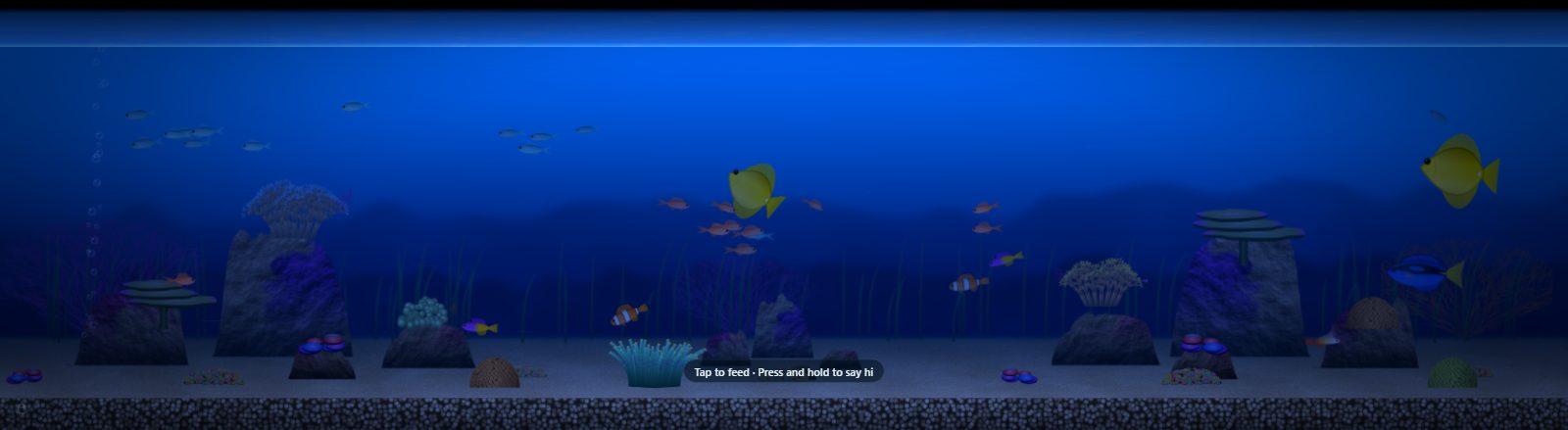
Running live. Tap the tank to feed the fish, hold and they swim over.
Three tanks
- Tropical Reef. Clownfish in their anemone, tangs and anthias.
- Planted Freshwater. Neon tetras, angelfish and corydoras.
- Deep Sea at Night. Glowing lanternfish, an anglerfish and drifting jellyfish.
Things to do
- Feed them. Tap the glass and they race over.
- Say hi. Press and hold, and the curious ones swim up to your finger.
- Decorate. Drop in a shipwreck, a skull, a treasure chest, a diving helmet or an amphora. It sinks, lands in a puff of sand and the fish scatter. Each tank keeps its own decor.
- Draw. Switch to Draw and write your name in the sand.
It keeps an eye on your PC
When CPU or GPU load climbs, the bubbler works harder and the current picks up.
Make it yours
- White sand, black sand, river gravel, crushed coral or planted soil
- A tank light that follows the clock, from dawn to moonlight
- Optional water sounds, generated live
Slot sizes
Small, Medium, Large and Extra Large, horizontal or vertical. See every slot's pixel size in the XENEON EDGE slot size guide.
Requirements and privacy
CORSAIR XENEON EDGE with iCUE 5.47 or later on Windows, with graphics acceleration on. The PC load reaction uses iCUE's Sensors plugin. Water sounds need speaker access for the widget in iCUE.
Aquascape makes no network requests. CPU and GPU load come from iCUE's own Sensors plugin on your PC. No account, no API key, no analytics or telemetry. Your settings, decor and sand drawings stay on your PC.
Questions
Do I have to feed the fish?
No. There is no feeding schedule. Tap the glass when you feel like it and they race over.
What makes the bubbles change?
Your PC load. When CPU or GPU load climbs, the bubbler works harder and the current picks up. It reads load from iCUE's Sensors plugin.
How do I add it to my XENEON EDGE?
Get it on the Elgato Marketplace. Then in iCUE, open XENEON EDGE, pick the widget in the Widgets panel and choose the slot size. Its settings appear right next to it.